




Home Automation Guide for smart house upgrades
The modern residence is no longer just a physical shelter; it is becoming a living, breathing ecosystem of interconnected devices. This Home Automation Guide serves as your technical roadmap for transitioning from a traditional living space to a fully integrated smart environment. Whether you are interested in reducing your carbon footprint or enhancing your physical security, the following upgrades provide the foundation for a high-functioning home.
Table of Contents
1. The Foundation: Robust Networking for Home Automation
Before installing a single smart bulb, you must address the “nervous system” of your smart home: the network. In any professional Home Automation Guide, the primary failure point for beginners is over-reliance on a standard ISP-provided router.
Why Mesh Matters
Standard routers broadcast from a single point. In a smart home, where you might have sensors in the garage and cameras at the far end of the driveway, signal degradation is inevitable. Mesh networks (such as Eero, Orbi, or TP-Link Deco) use multiple nodes to create a unified SSID across the property. This ensures that a smart lock on the back door has the same latency as the tablet in the living room.
Network Segmentation (VLANs)
From a security perspective, “Internet of Things” (IoT) devices are notoriously vulnerable. A sophisticated home automation setup involves creating a separate Virtual Local Area Network (VLAN). By isolating your smart fridge and lightbulbs from your primary computer where you access bank accounts, you mitigate the risk of a compromised lightbulb becoming a gateway for a lateral network attack.
2. Smart Lighting Control and Mood Architecture
Smart lighting is the most visible element of home automation. However, it goes beyond changing the color of your room to “Neon Pink.”
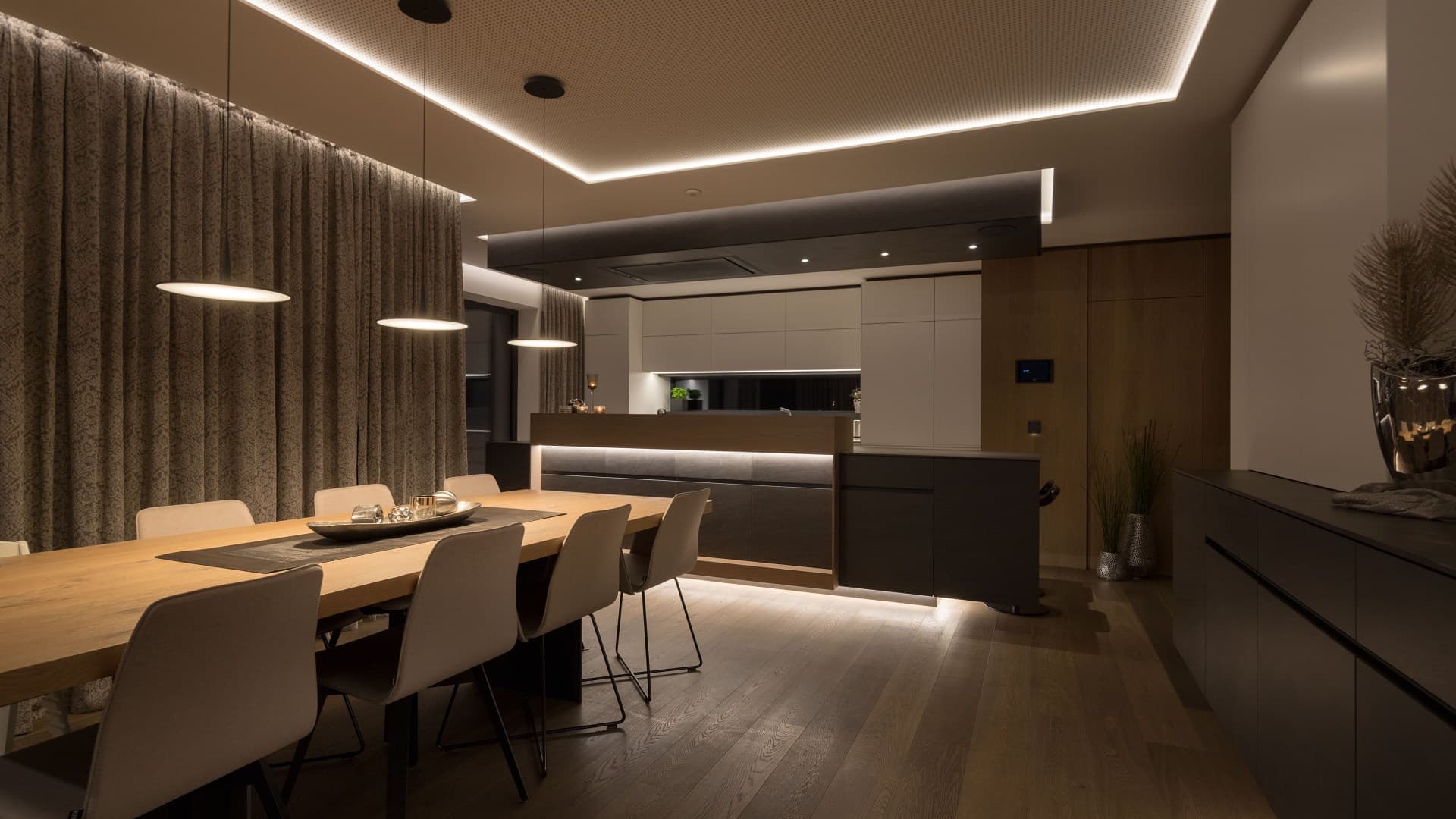
Seamlessly integrated lighting layers creating an automated “Evening” scene in an open-plan smart residence.
Circadian Lighting
Human biology is tied to the sun. Research from the Lighting Research Center suggests that blue-toned light suppresses melatonin, while warmer tones encourage it. A proper Home Automation Guide setup uses “Adaptive Lighting.” Your home can automatically shift from 5000K (cool white) at noon to 2700K (warm white) after sunset, helping regulate your sleep-wake cycle.
Bulbs vs. Switches
A common debate is whether to buy smart bulbs or smart switches.
-
Smart Bulbs: Best for renters or those who want millions of colors.
-
Smart Switches: Better for homeowners. They allow you to control “dumb” bulbs and ensure that even if someone flips the physical wall switch, the automation still works.
3. Climate and Energy Management
The smart thermostat is the “brain” of home efficiency. According to the Environmental Protection Agency (EPA), homeowners can save up to 8% on heating and cooling costs by using a smart thermostat.
Zone Control and Remote Sensors
Traditional thermostats measure the temperature in the hallway—the one place you never sit. Modern home automation uses remote sensors. If you spend your evenings in the home office, the system ignores the hallway temperature and prioritizes the office.
Energy Monitoring
Integrating smart plugs with energy monitoring (like those from Emporia or Shelly) allows you to see exactly how much power your “phantom” electronics—like game consoles or old coffee makers—are drawing when not in use.
4. Advanced Physical Security and Access Control
Security is often the #1 reason people seek out a Home Automation Guide. It moves physical security from “reactive” (calling the police after an alarm) to “proactive.”
Pedestrian Turnstiles and Gates
For residential estates or gated communities, high-end physical barriers are essential. Optima Full-Height Turnstiles are an industry standard for preventing “tailgating” (where an unauthorized person follows an authorized person through a gate). Integrating these with a central smart hub allows security personnel to receive real-time alerts on their mobile devices if a breach is attempted.
Biometric Access
Forget keys. Modern smart homes use biometric scanners—fingerprint or facial recognition—integrated into the door hardware. This allows you to track exactly who entered the home and at what time, providing an immutable log of activity.
5. Automated Window Treatments
Automated blinds are the unsung heroes of thermal management. In the summer, your home automation system can use local weather data to close southern-facing blinds when the sun is at its peak, reducing the “greenhouse effect” inside your home.

Integration with Lighting
By syncing blinds with your smart lighting, you can ensure your home stays private the moment the sun sets. The blinds close, and the interior lights fade up simultaneously—a process known as “scene triggering.”
6. Smart Kitchen Appliances and AI Integration
The kitchen is no longer just where you cook; it is where data, health, and convenience intersect. Modern home automation has moved beyond simple Wi-Fi-connected ovens to systems that proactively manage your household.
AI-Orchestrated Refrigeration and Waste Management
The refrigerator has transitioned from a cold-storage box to a “Nutrition Coach.” High-end models (like the Samsung Bespoke AI series) now feature internal AI Vision cameras that can recognize over 50 types of fresh produce.
-
Inventory Tracking: The system automatically logs expiration dates and sends a notification to your phone if the spinach is about to wilt.
-
Waste Reduction: By analyzing what you have in stock, the fridge suggests recipes based on ingredients that need to be used immediately, directly contributing to a zero-waste household.
-
The “Zero Clearance” Design: Modern smart fridges now feature specialized hinges that allow them to fit flush against cabinetry, maintaining a seamless, “built-in” look without sacrificing door-opening range.
The “Invisible” Induction Revolution
One of the most significant design trends in this Home Automation Guide is the rise of invisible induction. Instead of a bulky glass cooktop, induction coils are installed directly underneath porcelain or granite countertops (such as the SKS Invisible Induction prototype).
-
Multifunctional Space: When you aren’t cooking, your stove is simply a beautiful, uninterrupted workspace for meal prep or socializing.
-
Safety & Efficiency: Because induction only heats the cookware, the stone surface remains relatively cool to the touch, and the system can be programmed to shut off the moment the pan is removed.
Precision Cooking with AI Cameras
Traditional ovens have been replaced by smart double-wall ovens equipped with Intelligent Cooking Cameras. These devices don’t just let you “watch” your food; they use object recognition to identify what you’ve put inside.
-
Automated Profiles: If you slide in a tray of salmon, the oven identifies the protein and automatically selects the optimal moisture level and temperature profile to ensure a “chef-level” result.
-
High-Speed Hybrid Ovens: Devices like the Sharp Celerity combine convection, air frying, and microwave technology, using AI to determine which heating element will cook the specific dish the fastest without sacrificing texture.
Smart Storage and Automated Cabinets
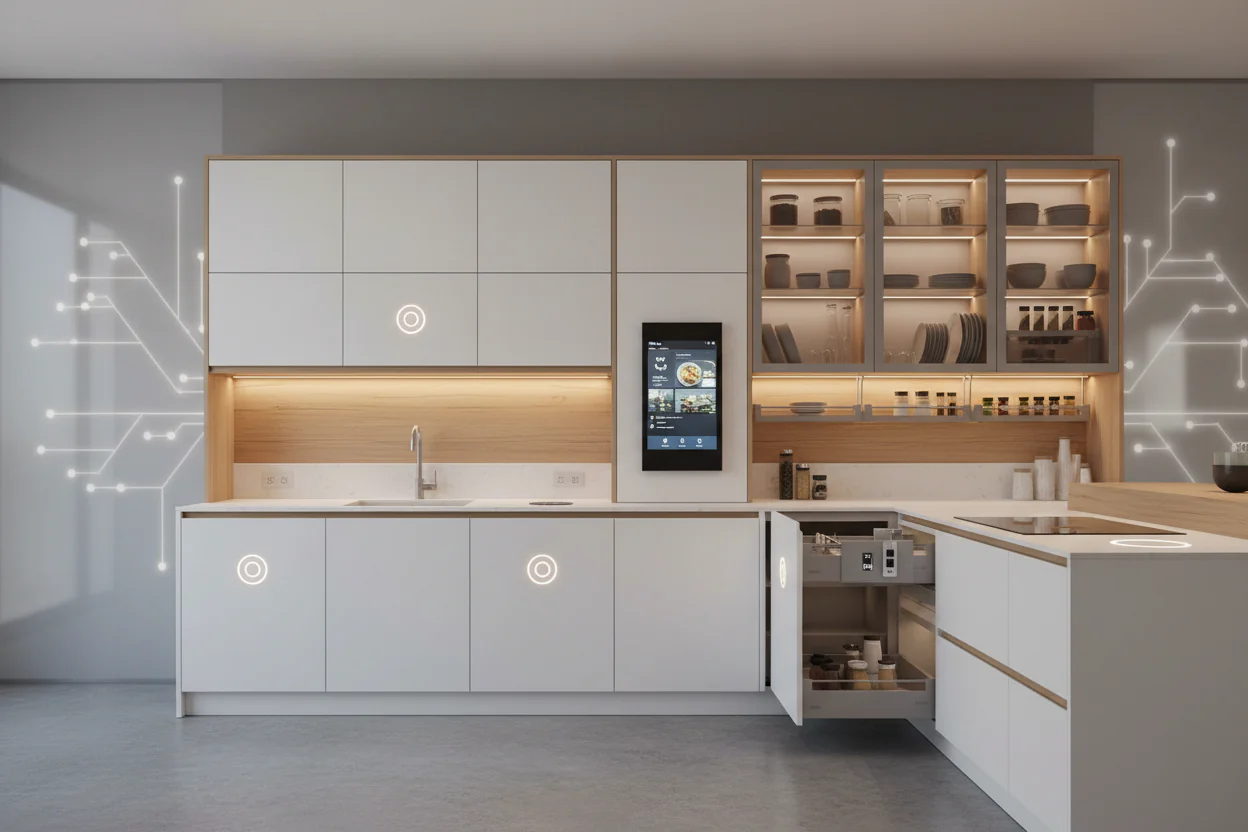
A truly automated kitchen includes the cabinetry itself. In 2026, smart kitchens utilize motion-activated drawers and push-to-open mechanisms that allow for a hands-free workflow—essential when your hands are covered in flour.
-
Smart Docking Stations: Integrated into the cabinetry, these stations provide hidden charging for small appliances (like blenders or mixers) and mobile devices, keeping the countertops clutter-free.
-
Climate-Controlled Pantries: Advanced storage solutions now include localized cooling or humidity control for specific items like wine, bread, or delicate spices, extending their shelf life through precise environmental monitoring.
The 4-in-1 Smart Tap
The traditional kettle is becoming a relic. Modern smart taps (like those from Moen or Kohler) provide filtered cold, sparkling, and 100°C boiling water from a single fixture.
-
Voice-Activated Pouring: Integrated with your central home automation hub, you can simply say, “Fill the pot with two liters of boiling water,” and the faucet will dispense the exact amount at the perfect temperature, preventing water waste.
By integrating these smart kitchen appliances, you aren’t just buying new gadgets; you are creating a system that learns your habits, monitors your health, and disappears into your home’s aesthetic when not in use.
7. Multi-Room Audio and Entertainment
A robust Home Automation Guide wouldn’t be complete without the entertainment aspect. The goal is “invisible technology.”
The “Follow Me” Audio Feature
Using motion sensors or Bluetooth RSSI (Received Signal Strength Indicator), your smart home can detect which room you are in. If you are listening to a podcast in the kitchen and move to the garage, the audio can automatically pause in the kitchen and resume in the garage.
Voice Control Integration
While Alexa and Google Assistant are popular, power users often move toward “Local Voice Control” like Rhasspy or Home Assistant Assist. This ensures your voice commands are processed within your home, protecting your privacy from cloud-based analysis.
8. Automated Irrigation and Outdoor Systems
Smart irrigation saves more than just money; it saves time and resources.
Predictive Watering
Systems like Rachio or RainMachine don’t just follow a timer. They look at the “Evapotranspiration” (ET) rate—how much water is evaporating from your soil based on wind, humidity, and sun. If it rained 20mm yesterday, the system skips today’s cycle. This is a critical component of any sustainable home automation strategy.
9. Water Leak Detection and Management
While a camera tells you if someone is at your door, a leak detector tells you if your house is about to be ruined.
Automatic Shut-off Valves
Devices like the Flo by Moen monitor the pressure and flow rate of water in your pipes. If the system detects a drop in pressure consistent with a burst pipe, it can close the main water valve in seconds. In many cases, insurance companies provide discounts for homes equipped with these systems because they drastically reduce the risk of catastrophic water damage claims.
10. The Central Hub: Unifying Your Home Automation Guide
The hub is the “General” of your smart home army. Without a hub, you have “app fatigue”—where you need 10 different apps to control 10 different things.
Local vs. Cloud Hubs
-
Cloud Hubs (SmartThings, Alexa): Easy to set up but stop working if your internet goes down.
-
Local Hubs (Home Assistant, Hubitat): Require more technical knowledge but offer 100% privacy and work even during an internet outage.
For a professional-grade home automation setup, we recommend a local controller. This allows you to write complex logic, such as: “If the humidity in the bathroom is >70% AND the light is on, THEN turn on the exhaust fan.”
Conclusion: The Future of the Smart House
Implementing the steps in this Home Automation Guide is an iterative process. You don’t need to do everything at once. Start with the foundation—the network—and then move to the upgrades that provide the most value to your daily life, whether that is climate comfort or high-end security like turnstiles and biometric locks.
The ultimate goal of home automation is not to give you more screens to look at, but to remove friction from your life so you can focus on what truly matters.
External Resources & Citations
-
Lighting Research Center: Impact of Circadian Lighting on Human Biology
-
U.S. Department of Energy: Energy Savings via Smart Thermostat Scheduling
-
IEEE Standards Association: Internet of Things (IoT) Communication Protocols
-
Smart Lighting Design: Principles of Effective Smart Home Illumination
-
Kitchen Innovation 2026: The Future of Smart Cabinets and AI Integration
-
Industry Leadership: Shaping the Future of Smart Homes through Innovation